
AppRouteProductQR codes
Product · QR codes

One QR code for your iOS and Android app

Put one app-download QR code on a poster, package or screen. It opens your smart link, which sends visitors to the store destination or website you have configured.
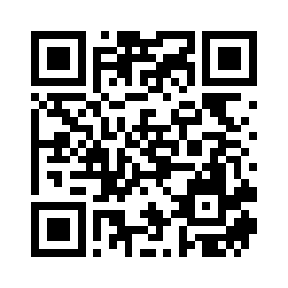
Example QR code opening this AppRoute QR guide
Scan this working example to open this guide. Create your own link to route visitors to your app stores.

Create and test your app-download QR code

The QR encodes your short URL. That link owns the routing decisions, so the code and your social link can share the same destinations.

1. Set the app destinations

Create a link with your App Store and Google Play listings plus a website fallback. Follow the smart app routing guide if your app supports more than one platform.

2. Download the QR

Download the QR from your link’s dashboard. Download your code as PNG. Custom foreground and background colors require an eligible paid plan. Check the current plan features.

3. Test before printing

Scan the final design with iPhone and Android cameras. Test at the actual print size and viewing distance, preserve contrast and clear space around the code, and confirm the destination on each device.

4. Keep destinations current

Edit the existing link when the destination changes. The printed QR still contains the same short URL. Keep that link and its domain active, and test again after changes.

Use QR codes where people discover your app

Design the scan around a clear task: open a store listing, find the right download or visit an app website.

Posters and packaging

Place a clear call to action beside the code, such as ‘Get the app.’ Test the real printed material rather than assuming a small preview will remain readable at any size.

Presentations and screens

Leave the code visible long enough to scan. Use a short, readable URL alongside it for anyone who cannot scan the screen.

Measure the campaign

Use separate campaign links to distinguish placements. Downloaded QR codes include QR campaign tags. Review click analytics; a scan or redirect is not a confirmed app installation.

Choose a useful fallback

Some visitors will use a device your app does not support. A website explaining your app is a more helpful fallback than a store listing they cannot use.
Keep exploring

Related resources.

Get started free

Try AppRoute. One link, every platform.

Free plan: 1 active links and 10,000 clicks/month.